How to Promote an Event with Social Media

How to Promote Your Event With Social Media

As a frequent speaker at events of all sizes, I’ve had a chance to observe some of the best practices conference organizers used to promote their events through social media. In most cases, these efforts cost little or nothing more than your time.

Here are some suggestions for leveraging social channels for event promotion. I’m sure I haven’t covered all the possibilities, so please contribute your ideas as comments. We’ll look first at tactics the can work for any event, then I’ll propose a few ideas for large conferences covering multiple days and many speakers.

Events of all sizes

  • Set up a unique landing page for each event. You need a single Web address that people can refer to in their social channels. Use this page to describe and “sell” the event, not to gather registrations. Send visitors to a different landing page to register. If there are several events in the series, create a unique landing page for each.
  • EventBrite is a great service, but I recommend against using it as your event landing page. Use a page under your own domain and use EventBrite (or similar services) for registrations.
  • Publish an announcement on Yahoo’s Upcoming or Eventful. They help you publicize to a local community. Also consider professional associations, which may give you a calendar entry for free.
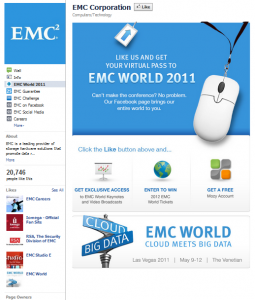
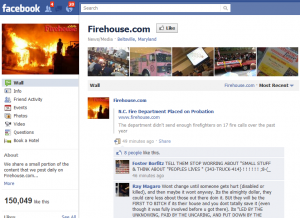
  • Regardless of the size of the event, set up a Facebook page or create a dedicated event sub-page under your Facebook page. It costs nothing and gives you access to the extended social networks of registrants and potential registrants. When people “like” your page, that action is shared with everyone in their network. The average Facebook member has 130 Facebook friends. That amplifies your message pretty quickly.
  • Create a Twitter hashtag and promote it to your colleagues and registrants. Ideally, the hashtag should be unique to the event (#AcmeForum11), but it’s OK to use your organization’s hashtag if your main goal is to build your brand.(#AcmeForums). Use the hashtag in all your communications and always link to the event landing page.
  • Schedule Twitter promotions to go out at different times of the day, including on weekends. Free clients like Tweetdeck, Seesmic and HootSuite make this easy. If you’re trying to attract an international audience, don’t forget to schedule some promos to go out during the local work day in those areas. If you can customize to the local language, that’s even better.
  • Ask registrants for a Twitter address and then follow them on Twitter. Retweet their messages from time to time. They’ll notice you and are more likely to follow you and retweet your event-related messages.
  • Use a unique tracking code with each promotion and make sure to use a different code for Facebook, Twitter, LinkedIn and e-mail. You want to know which sources are sending traffic to your landing page so you can better focus your resources.
  • Link to the event page from your e-mail signature line. Make sure others on your team do this, too.
  • Create short-code URLs using a service like Bit.ly. Many services let you customize the short code to something that’s easy to remember, like your event name or hashtag (for example, bit.ly/AcmeForum). Do that.
  • Your speakers and fellow organizers are your best sources of social media promotion. Make it easy: Create suggested messages for them to use in each medium (For example, “Come see the latest in Acme widgets. Special discount if you use this URL http://bit.ly/AcmeForum“). It’s better that they use your message than create their own. Create a couple of short messages for Twitter and a longer one for a blog or Facebook. Limit Twitter messages to 120 characters to allow for retweeting.
  • Provide a suggested tag for attendees to use when posting photos or videos from the event. This enables you to assemble photo galleries by stitching together tagged content from a variety of sources.
  • Create an event badge (right) that speakers can embed in their blog sidebars or on their websites. Link to your landing page using a custom URL. Don’t send speakers an image, but post the image on your site and send them an embed code. This enables you to tell who’s sending you traffic. It’s a good idea to offer speakers a special discount code they can share with their friends and followers.
  • Something that’s rarely done but worth trying is to customize discount codes and offer a rebate to attendees who successfully recruit other registrants. All you have to do is give each badge-holder a unique registration code to promote, and then track who sends you customers. Then refund promoters a percentage or fixed amount.
  • Create SlideShare and YouTube channels for your event. Post all appropriate pre- and post-conference materials there. SlideShare is a particularly good place to post speaker presentations as a way of raising awareness about follow-on events. Be sure to point to your event site from the SlideShare and YouTube profile pages. Embed media from your SlideShare and YouTube channels on your event website.
  • Content from past events is your best promotion for future events. Record as many presentations as possible and post them as podcasts or video podcasts. Be sure to provide an RSS feed so that potential attendees can subscribe to new content as it’s posted. If you can’t record the sessions, set up brief interviews with selected speakers and post them as podcasts.

Large events

  • Set up a branded Twitter account specifically for the event. This enables registrants to follow you to learn about developments in the program and it also creates a channel for post-event follow-up.
  • Use the Twitter account to promote announcements such as new speakers, sessions, sponsors and parties. Ask staff and speakers to retweet these messages in order to gain followers. Don’t forget to include the Twitter hashtag!
  • Create an event blog. Ask speakers to contribute posts of 300-500 words. Space out entries so that there’s a constant stream of new content. Focus speakers on writing about the topic of their presentations, not promoting their businesses. Promote each new entry on Twitter and your Facebook page. Post a description and link in relevant groups on LinkedIn.
  • Create an e-mail newsletter with frequency of at least every other week. Make it easy for website visitors to sign up for the newsletter, even if they don’t register for the event. Promote a newsletter sign-up page on Twitter, Facebook and LinkedIn. Be sure to post the content of each newsletter on a page on the conference website so that people can link to it.
  • Create a series of pre-event audio and/or video podcast interviews with speakers. You can use VOIP services like Skype and inexpensive recording software like Pamela to capture this audio. Post the podcasts on the conference blog and on a dedicated multimedia page on the conference website.
  • Create a page to aggregate news media coverage of the event and/or topic of your event. An easy way to do this is to use Delicious link rolls. Embed a small piece of Javascript code on your Web page and whenever you bookmark an article on Delicious with the designated tag, the headline and link post automatically to your page.
  • Create a “buzz page” that monitors mentions of your hash tag and automatically posts them to a comment stream. Here’s an example.

Post-Event

  • Send a summary e-mail to all attendees with referrals to conference materials on SlideShare and YouTube. Send people to a page on your event website that hosts that embedded content. The landing page should include calls to action to register for future events. A “repeat attendee” discount is a good idea.
  • Set up a survey form to capture evaluations from attendees. Google Documents supports simple forms at no charge. Publish the best comments as validation of the quality of your content. Here’s a simple form I use to gather feedback on my presentations. It took 10 minutes to set up.
  • Continue to use the Twitter account to update attendees and provide fodder for future promotion.

What did I miss? Tell me what works for you and for conferences you’ve attended.

“Content Rules” Is an Essential Desktop Reference for Social Marketers

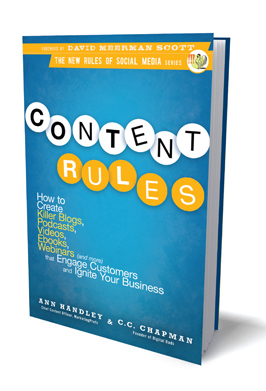
Content Rules bookMy mother used to justify her massive collection of cookbooks by saying that a volume was worth buying if there was just one outstanding recipe in it. By that metric, pages 157-168 of Content Rules are worth the cover price alone. I thought I was pretty savvy about creating content, but authors C.C. Chapman and Ann Handley gave me at least a couple of dozen new ideas. This is a practical and useful book that every marketer who’s struggling with the new world of democratized publishing will find of value.

Chapman and Handley start out with a list of terms that they would like to see banished from the marketing vocabulary, including “leverage,” “proactive,” ”solution,” “drill-down” and “drink the Kool-Aid.” They have good reasons for hating these buzzwords, and I winced to realize that several regularly turn up in my own writing. The authors practice what they preach, though. This book is written in clear, declarative and hype-free language. It bubbles with enthusiasm for the topic and its recommendations are the kind you can take to the bank (there goes another buzzword).

Chapman and Handley are clearly fans of great writing, and it shows in their use of simple language and playful asides that inject a human touch when the text strays into the realm of the academic. They even invented a few new words, such as “re-imagine” as an alternative to the more mechanical “re-purpose.” Early on, they pay homage to Strunk & White’s Elements of Style, prompting me to haul out that 105-page masterpiece and re-acquaint myself with the beauty of simple language.

Pages 157-168 lay out 25 rules for successful webinars. As a veteran of more online events than I can count, I found at least 10 great ideas here. For example, how about taking audience questions during the webinar rather than at the end? Or promoting the event with a short podcast? Follow up  with an e-mail inviting follow-up questions. Post the whole thing on SlideShare. Why didn’t I think of those?

Content Rules doesn’t pretend to be a visionary treatise on the future of social media. There are plenty of books out there that do that. This is a hands-on guide that’s meant to be marked up, so bring a  highlighter. The book includes practical tools like the worksheet that Kodak uses to stimulate ideas from prospective bloggers and tips on where to find free art to dress up blog posts. It will even help you decide when to use in-house content experts and when to contract for those services (though some payment guidelines would have been helpful there).

The authors tracked down many new case studies to provide a welcome break from the Zappos and Blendtec examples cited so frequently elsewhere. For example, there’s Sears Yard Guru, which helps potential buyers of lawnmowers choose equipment, and Army Strong Stories, which tells of military life in the words of soldiers in the field. There’s even a chapter devoted to B2B marketing, an often overlooked category that the authors assert can be just as innovative as the consumer marketing sector.

There’s even advice on how to write headlines that are catchy but not cliché. For example, compare “Insights from Social Media Research” to  “The Naked Truth: What’s Hype, What’s Not in Social Media.” Both can describe the same content, but which do you think is more likely to grab attention?

Throughout the book, Chapman and Handley encourage marketers to think big and take chances. Attracting attention on the crowded social Web isn’t about playing it safe, they say, so get comfortable with risk. “I’d worry less about shocking customers than I would about boring them,” says Jellyvision founder Harry Gottlieb in one notable quote.

Content Rules isn’t a book for corporate strategists or CEOs. It won’t give you great insight about what’s coming down the social media road. But it doesn’t pretend to do these things. This is a disarmingly informal, friendly and approachable book that you will want to keep on your desk and consult when the creative muse has fled you, as it does all of us at times. As a recipe for content, it would have made my mother proud.

How to Change a Saved Twitter Stream to Chronological Order

If you’ve ever tried to transcribe a Twitter chat or conversation thread around a particular keyword or hash tag, you know that converting the chain to chronological order can be a real hassle. Whether you copy and paste a thread from Twitter search or a chat-hosting service like Twebevent, the default presentation is reverse-chronological, with the most recent posts at the top and the earliest at the bottom. Using Word, the only way to change the order to chronological is by methodically cutting and pasting posts into a new document. Ugh.

I’ve discovered a way to automate this conversion using one of my favorite tools: the open source Notepad++. Here’s how you do it:

  1. Copy and paste the thread into Notepad++
  2. Select all text and choose TextFX|TextFX Tools|Insert Line Numbers.
  3. With text still selected, choose TextFX|TextFX Tools|+ Sort ascending and remove the check mark
  4. With text still selected, choose TextFX|TextFX Tools|Sort lines case insensitive (at column). This sorts the lines by number in descending order.
  5. With text still selected, choose TextFX|TextFX Tools|Delete Line Numbers or First Word.

You’re done!

You can also use Notepad++’s lightning-fast search and replace feature to pretty up the formatting. For example, search for “@pgillin” and replace it with “<strong>@pgillin:</strong”> to bold-face the name of a contributor to the conversation. Or replace hash tags like “#sm” with “social media” to make the conversation accessible to the uninitiated.

Because Notepad++ is a text editor and not a word processor, it removes all formatting from any document you cut and paste into it. However, this shouldn’t be a problem with Twitter chats because Twitter doesn’t support formatting itself. If you know a little HTML, you can always add back the formatting with Notepad++’s search/replace function.